


The Marconi Logger is the official program of the Marconi Club Activity: it logs your QSOs on your own computer, proposes for every contact the word (Testo 1) and the phrase (Testo 2) to exchange in CW and, at the end of the session, creates the Cabrillo file together with the .sig check file to be submitted for log checking. It also works without an Internet connection: your data stays on your PC and is not sent anywhere until you upload your log yourself.
The Windows setup is guided and proposes the C:\McActivity folder, where you will find databases, exports, maps and backups. Always submit the .cbr and .cbr.sig pair exactly as the Logger created it, without opening and saving it again, and back up the Dati folder before every update. For all the details, read the Software FAQ.
Download the Marconi Logger 2.2.8 for Windows (64-bit)
Setup_Marconi_Logger_2.2.8.exe, 58 MB, released on 13/11/2026
Download the Marconi Logger 2.2.8 for Linux (.deb package)
mcactivity-logger_2.2.8-1_amd64.deb, 1.4 MB: for Ubuntu, Debian and derivatives on 64-bit computers (x86_64/AMD64); not suitable for ARM computers
Download the Marconi Logger 2.2.8 for Linux (universal archive)
Marconi_Logger_Linux_2.2.8_universal.tar.gz, 1.5 MB: for Debian 12/13, Ubuntu 22.04/24.04 and derivatives (including Mint and Pop!_OS), Fedora, openSUSE, Arch and derivatives; after extracting it, install with ./install.sh --user
Marconi_Logger_Manual_EN.pdf, 95 KB · Italian version: Manuale_Marconi_Logger_IT.pdf
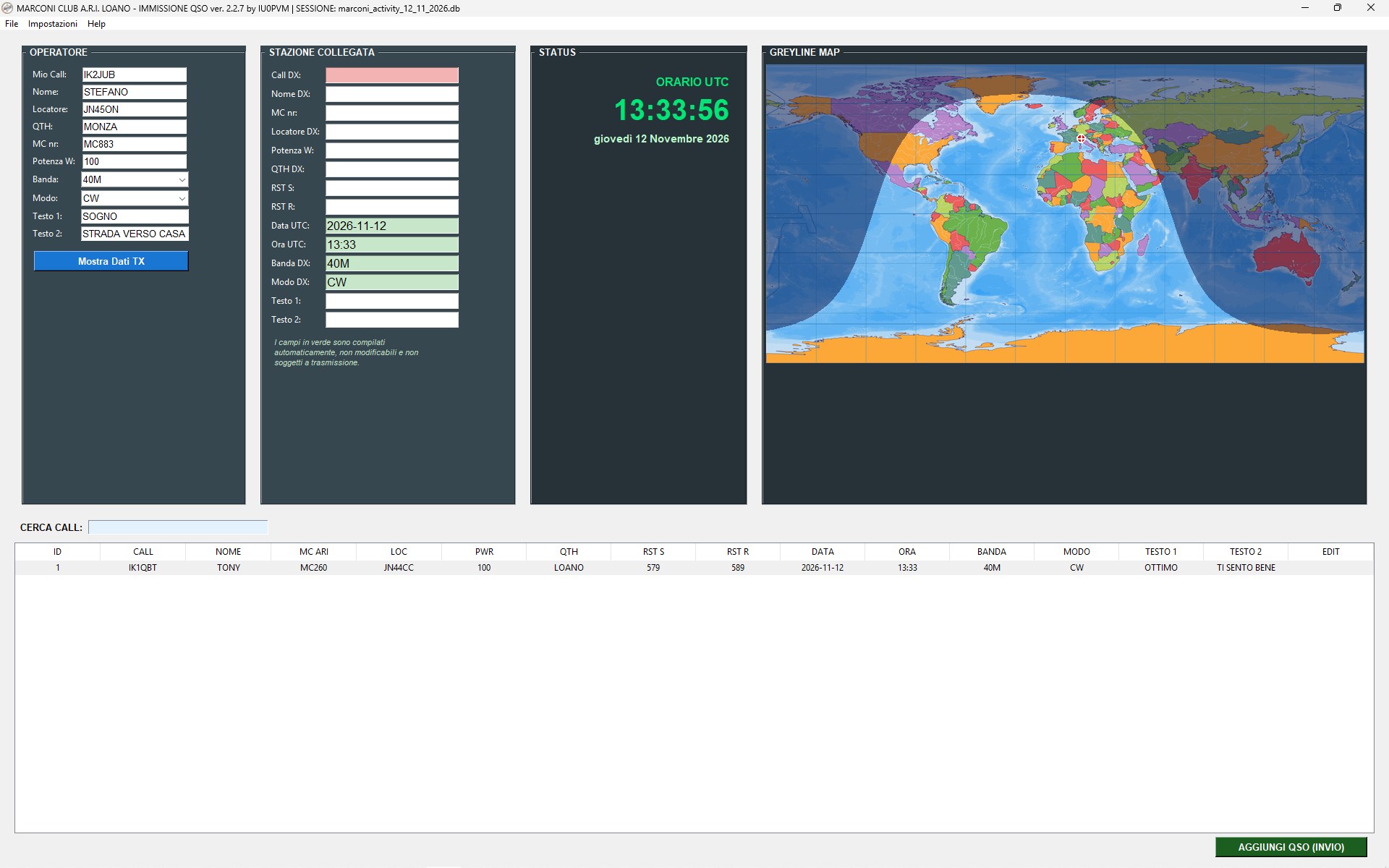
The Marconi Logger during a session